Linkydy
Turn LinkedIn searches into a working pipeline
Save prospects, find verified work emails and phone numbers, send personalized outreach, and track follow-ups in one browser extension. Prefer to delegate? Connect Claude, ChatGPT, Cursor, Gemini, or another MCP client.


 AI agent connectedMCP tools available
Use Linkydy yourself — or connect the AI client already in your workflow
 Claude
AIChatGPT
Claude
AIChatGPT
 Cursor
 Gemini CLI
 GitHub Copilot
 Windsurf
One workspace from first search to next follow-up
Linkydy keeps lead collection, contact enrichment, outreach, and pipeline notes together in the browser session you already use. No LinkedIn password hand-off and no extra cloud dashboard to babysit.

Collect leads from search
Save prospects from LinkedIn people search and Sales Navigator results in one click — name, title, company, and profile URL, ready to work.

Find verified emails & phones
One-click "Find Email" and "Find Phone" on any profile. Enriched contacts land straight on your lead card — no copy-paste, no external tools.

Personalized outreach at scale
Connection requests and messages with {FirstName}, {Company}, {JobTitle} fields, plus reactions and comments — with human-like pacing and daily caps built in.
Drive it from your AI agent
Connect a compatible MCP client and turn a prompt into a supervised workflow: search, save, enrich, review, and queue outreach.

CSV import & export
Export enriched leads — emails, phones, titles, companies, statuses — to CSV for any CRM or email tool. Import URL lists back in seconds.

Safety-first by design
No LinkedIn password hand-off and no remote login from a datacenter. Daily limits and human-like delays are enforced by the extension itself.
See exactly what you get
Every step of prospecting — collect, enrich, reach out, delegate — in one extension that lives in your browser.
Collect
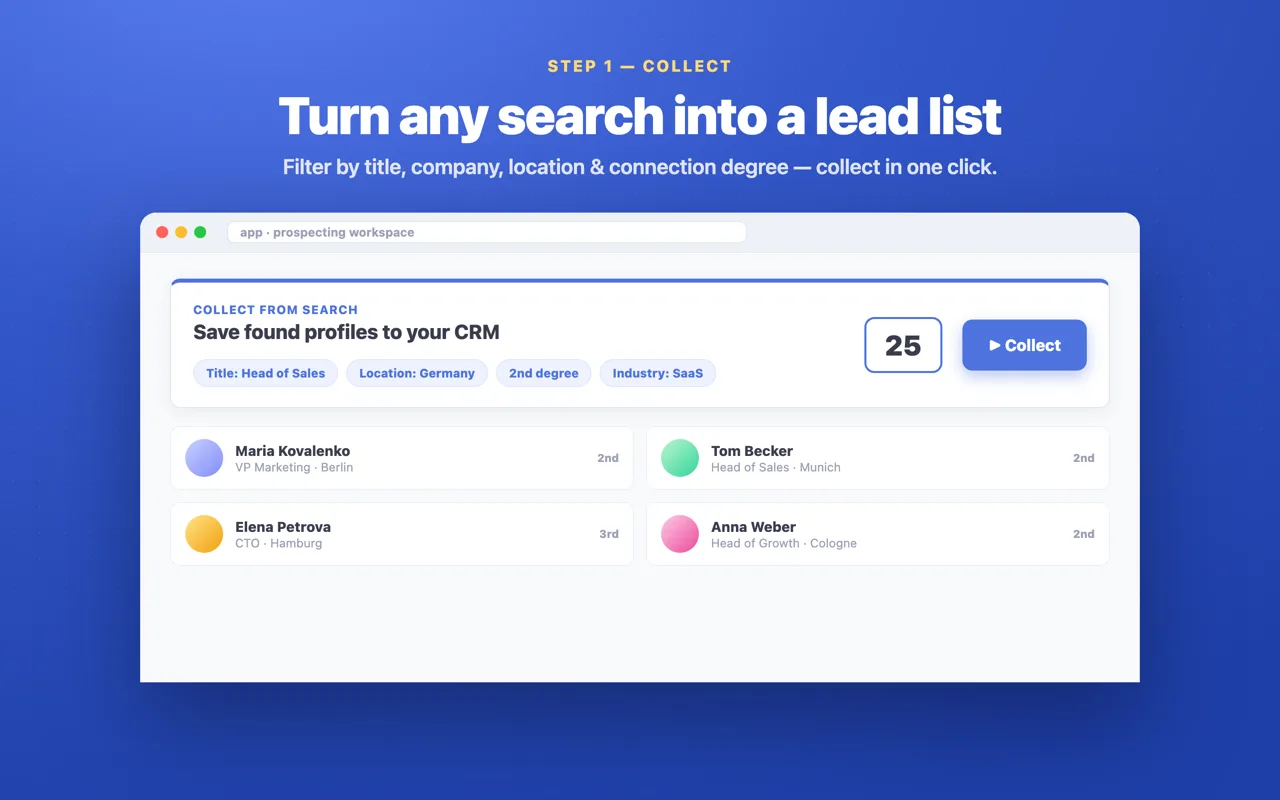
Turn any search into a lead list
Open a LinkedIn people search or Sales Navigator list, filter by title, company, location, industry, or connection degree — then save every match to your CRM in one click.
- Name, title, company & profile URL captured automatically
- Works on people search, sales search & profile pages
- Collect a whole page of prospects at once
 Enrich
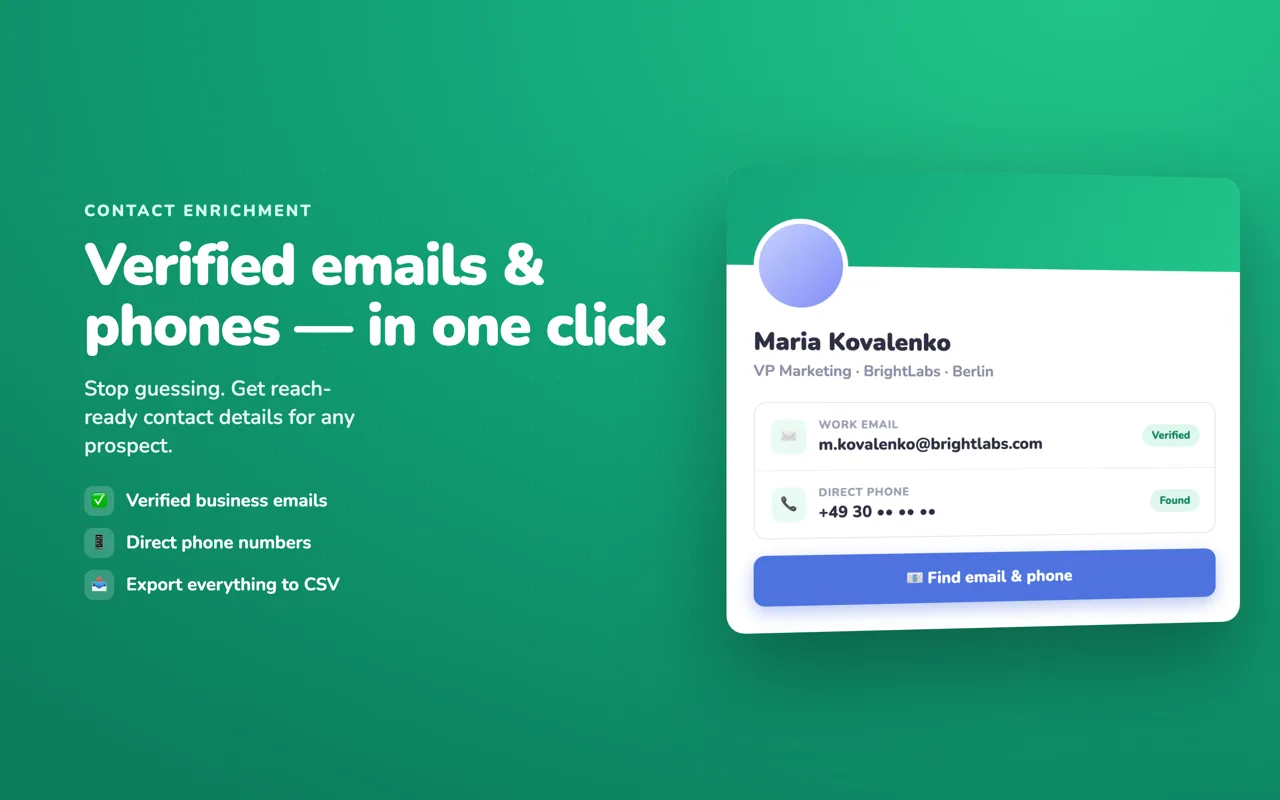
Verified emails & phones, one click
Stop guessing addresses. Hit “Find email & phone” on any profile and reach-ready business contact details land straight on the lead card — no copy-paste, no separate tool.
- Verified business emails when they exist
- Direct phone numbers on supported profiles
- Everything exports cleanly to CSV
Reach out
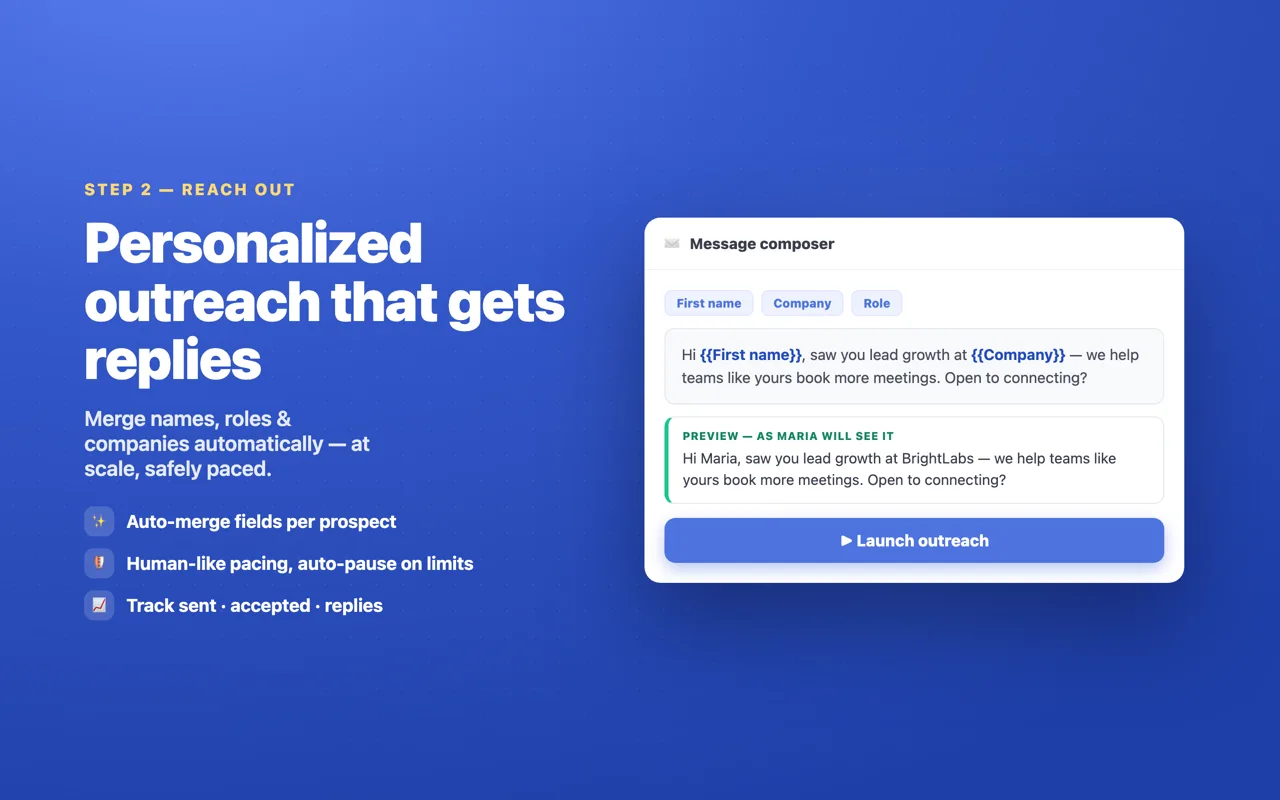
Personalized outreach that gets replies
Merge {FirstName}, {Company}, and {JobTitle} automatically, preview each message as the prospect will see it, and launch — with human-like pacing and daily caps enforced by the extension.
- Dynamic fields filled per prospect
- Human-like pacing, auto-pause on limits
- Track sent · accepted · replies
 Delegate
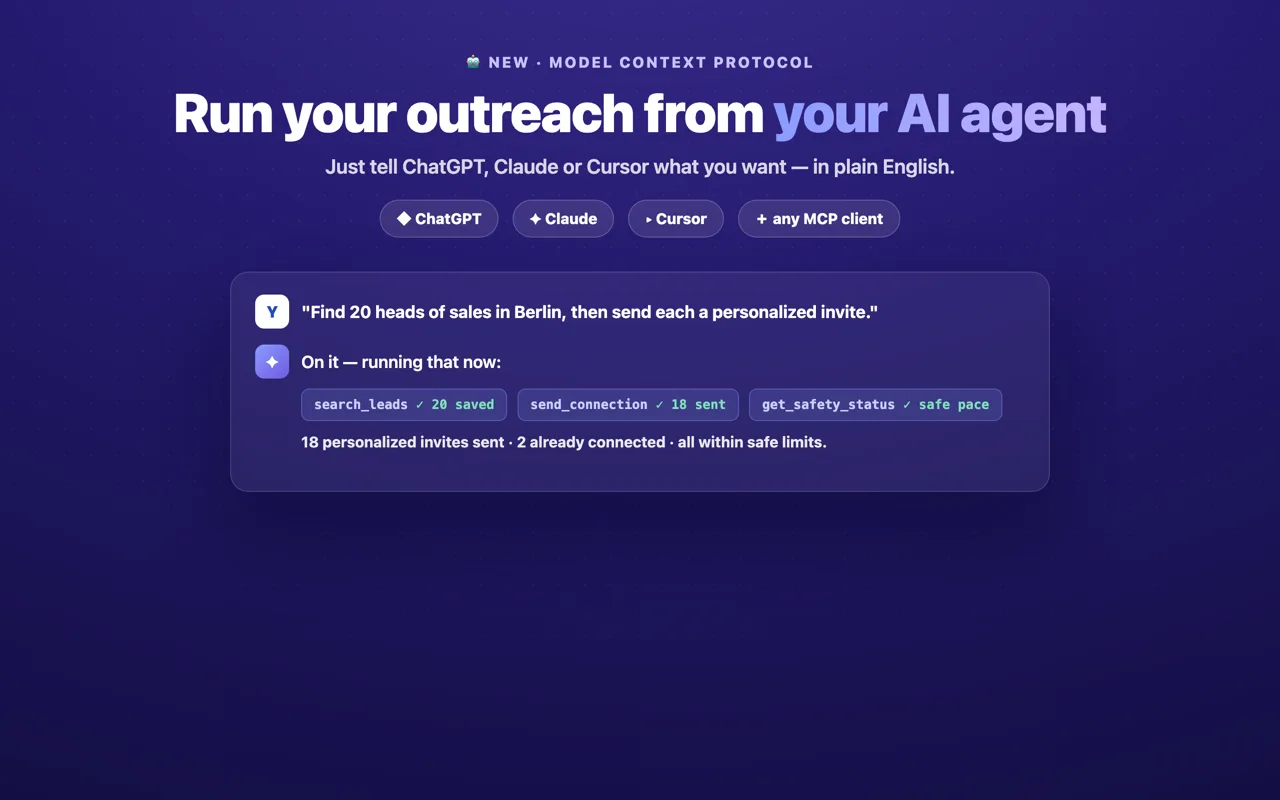
Or let your AI agent run it
Connect Claude, ChatGPT, Grok, or Cursor over MCP and prospect in plain English. Your agent searches, saves, enriches, and reaches out — while the extension keeps every action inside safe limits.
- Plain-English prompts → real actions
- Runs in your own browser session
- Daily caps & pacing always enforced
From search to booked call in three steps
Install & collect
Add Linkydy to Chrome, open any LinkedIn people search, and save the prospects that match your ICP — filters for title, company, location, industry, and more.
Enrich & personalize
Find verified business emails and phones for saved leads, then queue personalized connection requests and messages with dynamic fields.
Track & follow up
Statuses, notes, and processing history keep your pipeline honest. Export to CSV or let your AI agent handle the next follow-up round.
Give your AI agent a real prospecting workflow
The Linkydy MCP server exposes focused tools for LinkedIn search, lead management, email enrichment, and outreach. The extension remains the execution layer, reports today's invite count, and auto-pauses if LinkedIn signals an invite or rate limit.
- Works with local stdio clients and hosted MCP clients
- One pairing token; no LinkedIn password in your AI config
- Review the pipeline and stop queued actions at any time
LinkedIn limit signals automatically pause sending.Connect Linkydy to your AI client
Install the extension, copy the private pairing token from AI Agent (MCP), then choose your client below. Every client uses the same server values: npx, -y linkydy-mcp, and LINKYDY_TOKEN.
- Copy the pairing tokenLinkydy dashboard → AI Agent (MCP).
- Open Claude Desktop configSettings → Developer → Edit Config.
- Paste, save, and restartMerge this into claude_desktop_config.json, then toggle MCP on in Linkydy.
{
  "mcpServers": {
    "linkydy": {
      "command": "npx",
      "args": ["-y", "linkydy-mcp"],
      "env": { "LINKYDY_TOKEN": "PASTE_YOUR_TOKEN" }
    }
  }
}“Call get_account, then find 15 recruiters with search_leads. Save them and call list_leads so I can review the results before outreach.”
- Copy the pairing tokenLinkydy dashboard → AI Agent (MCP).
- Create the Cursor configSave this as .cursor/mcp.json in your project.
- Enable LinkydyOpen Cursor Settings → MCP, then toggle the connection on in Linkydy.
{
  "mcpServers": {
    "linkydy": {
      "command": "npx",
      "args": ["-y", "linkydy-mcp"],
      "env": { "LINKYDY_TOKEN": "PASTE_YOUR_TOKEN" }
    }
  }
}“Use search_by_url with this filtered LinkedIn people-search URL: [paste URL]. Collect 20 profiles, then list the names, titles, and companies.”
- Copy the pairing tokenLinkydy dashboard → AI Agent (MCP).
- Edit Gemini settingsAdd the server to ~/.gemini/settings.json.
- Verify the toolsRestart Gemini CLI, run /mcp, and enable MCP in Linkydy.
{
  "mcpServers": {
    "linkydy": {
      "command": "npx",
      "args": ["-y", "linkydy-mcp"],
      "env": { "LINKYDY_TOKEN": "PASTE_YOUR_TOKEN" }
    }
  }
}“Find 20 growth leaders using title ‘Head of Growth’ and keywords ‘fintech Europe’. Save them, then summarize the locations from list_leads.”
- Copy the pairing tokenLinkydy dashboard → AI Agent (MCP).
- Add a VS Code serverCreate .vscode/mcp.json with the config shown here.
- Start and approve itRun MCP: List Servers, start Linkydy, then enable it in the dashboard.
{
  "servers": {
    "linkydy": {
      "type": "stdio",
      "command": "npx",
      "args": ["-y", "linkydy-mcp"],
      "env": { "LINKYDY_TOKEN": "PASTE_YOUR_TOKEN" }
    }
  }
}“Find developer-relations leaders at API companies in the US. Save 15 leads and draft a short connection note for review.”
- Copy the pairing tokenLinkydy dashboard → AI Agent (MCP).
- Add a local serverChatGPT Desktop (Plus/Pro) → Settings → Connectors → Advanced / Developer mode.
- Enter the values and enableAdd the command, arguments, and environment variable below, then enable MCP in Linkydy.
Command: npx
Arguments: -y linkydy-mcp
Environment: LINKYDY_TOKEN=PASTE_YOUR_TOKEN
“Which saved leads have no work email? Enrich the 10 oldest records and return a concise results table.”
Requirements: Node.js 18+, Chrome open with Linkydy signed in, and Linkydy Premium for the token and On switch. find_email also needs your Apollo.io API key. Keep the pairing token private; regenerate it to disconnect old clients.
Teams that live on LinkedIn

Founders
Founder-led sales without a sales stack: collect, enrich, reach out, and follow up in minutes a day.

Sales teams & SDRs
Build focused B2B pipeline from LinkedIn and Sales Navigator searches — and export clean CSVs to your CRM.

Recruiters
Source candidates, find contact details, and track every conversation without a bloated ATS.

Agencies
Manage prospect lists per client, keep statuses clean, and hand over enriched lead lists that close.

B2B marketers
Research target accounts, build audience lists, and enrich them with verified business emails.
AI power users
Wire Linkydy into Claude, ChatGPT, or Grok via MCP and run your whole prospecting workflow by prompt.
Questions, answered
What is Linkydy?
Linkydy is a Chrome extension that combines a LinkedIn prospecting CRM, a business email finder, and outreach automation — plus an MCP server so AI agents like Claude, ChatGPT, and Grok can run your prospecting for you. It works inside your own browser session.
Is Linkydy safe for my LinkedIn account?
Linkydy never asks for your LinkedIn password and never logs in from remote servers — the two biggest red flags LinkedIn looks for. Every action runs in your own browser with human-like pacing and daily caps enforced by the extension.
Do I need a credit card to start?
No. Install the extension, sign in with your email, and you get free credits to try lead collection, email finding, and outreach. Premium unlocks higher limits and the AI agent (MCP) integration.
Does it work with Sales Navigator?
Yes. Linkydy collects leads from Sales Navigator search results and lead pages, finds emails on Sales Navigator profiles, and manages everything in the same CRM.
Which AI agents does Linkydy support?
Linkydy works with MCP-compatible clients including Claude Desktop and Code, ChatGPT, Cursor, Gemini CLI, GitHub Copilot in VS Code, Grok, and Windsurf. Local clients launch the server through npx; hosted clients may require an HTTPS endpoint. The MCP guide explains both paths.
Can I export my leads?
Yes — one-click CSV export with names, titles, companies, profile links, verified emails, phones, and statuses. Import into any CRM, spreadsheet, or email tool.
Start building pipeline today
Install Linkydy free, collect your first leads in five minutes, and let your AI agent handle the busywork.
Free credits included · No credit card required